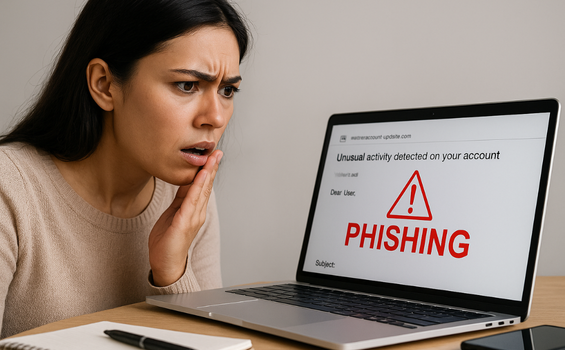
Protect yourself from fraudulent emails and fake websites with this essential checklist. Learn to recognize phishing attempts before they steal your personal information or financial data
Recognizing Phishing Threats in Your Inbox
Phishing scams have become increasingly sophisticated, targeting online shoppers with convincing fake emails, text messages, and websites designed to steal sensitive information. The Federal Trade Commission reported that consumers lost over $10 billion to fraud in 2023, with phishing attacks representing one of the most common methods criminals use to access personal information.
Whether you’re tracking a package, reviewing an order confirmation, or responding to what appears to be a customer service inquiry, knowing how to spot phishing scams protects your financial security and personal data. This guide presents five critical warning signs that indicate a phishing message, along with practical steps to verify legitimacy before clicking any links or sharing information.
Understanding these red flags empowers you to shop online confidently while avoiding the traps scammers set for unsuspecting consumers. For comprehensive resources on protecting your consumer rights, visit the Consumer Protection Agency.
Red Flag #1: Suspicious Sender Information
Legitimate companies send communications from official email addresses that match their domain names. Phishing emails often come from addresses that look similar but contain subtle differences.
What to check:
Scrutinize the sender’s email address—not just the display name, which can be easily faked. A message claiming to be from Amazon but sent from “amazon-security@gmail.com” or “support@amazan.com” is a phishing attempt. Authentic companies use their own domains.
Look for random numbers, extra characters, or misspellings in the domain name. Scammers often register domains that closely resemble legitimate businesses, hoping recipients won’t notice the difference.
The same principle applies to text messages. Be wary of messages from unfamiliar phone numbers claiming to represent well-known retailers or delivery services. Legitimate businesses typically use short codes or numbers you can verify on their official website.
Action step: Hover your cursor over the sender’s name (without clicking) to reveal the actual email address. On mobile devices, tap the sender’s name to view full details.
Red Flag #2: Generic Greetings and Impersonal Language
Companies you do business with typically address you by name, especially in transactional emails about orders, accounts, or security matters. Phishing emails frequently use generic greetings because scammers send mass messages to thousands of potential victims.
Warning signs include:
Messages starting with “Dear Customer,” “Dear User,” or “Dear Valued Member” instead of your actual name suggest the sender doesn’t have legitimate access to your account information.
However, some sophisticated phishing attacks do include personal details obtained from data breaches or public sources. Don’t rely solely on personalization—consider it alongside other red flags.
Action step: If an email uses a generic greeting and claims to concern your account, log into the service directly through your browser (not by clicking email links) to check for legitimate notifications.
Red Flag #3: Urgent Language and Pressure Tactics
Phishing attempts create artificial urgency to bypass your critical thinking. Scammers know that panicked people make mistakes, so phishing messages often include threats or time-sensitive offers designed to prompt immediate action.
Common urgent scenarios:
“Your account will be closed within 24 hours unless you verify your information immediately.” Legitimate companies provide reasonable timeframes and multiple notification methods before account actions.
“Suspicious activity detected—click here now to secure your account.” Real security alerts from financial institutions or retailers include specific details and offer multiple verification methods, including calling their official customer service number.
“Limited-time offer expires today—claim your prize now!” If you didn’t enter a contest or promotion, you didn’t win. These phishing scams attempt to create excitement that overrides skepticism.
The call to action in phishing messages demands immediate response: “Click now,” “Verify immediately,” “Respond within one hour.” Legitimate businesses respect that customers need time to review communications and make informed decisions.
Action step: When you receive urgent messages, pause before responding. Contact the company directly using contact information from their official website—never use phone numbers or links provided in suspicious messages.
Red Flag #4: Requests for Sensitive Information
No legitimate company asks you to provide sensitive information via email or text. This represents the clearest indicator of phishing attempts targeting your personal data.
Never provide these via email or text:
Social Security numbers, credit card numbers (whole numbers, CVV codes, or PINs), bank account information, passwords or security questions, copies of identification documents, or login credentials.
Phishing emails may direct you to fake websites designed to capture this information. These fraudulent sites often look remarkably similar to legitimate login pages, featuring correct logos, colors, and layouts.
What legitimate companies do:
Real businesses already have the necessary payment information on file for account holders. They process transactions through secure, authenticated systems—not via email or text messages.
If verification is genuinely needed, companies direct you to log in to your account through their official website or app, where security measures protect your information during the authentication process.
Financial institutions and retailers may send alerts about suspicious transactions, but will never ask you to “confirm” your credit card number or other sensitive information via reply.
Action step: Treat any message requesting sensitive information as a phishing scam until proven otherwise. Close the message and contact the company directly through verified channels.
Red Flag #5: Poor Quality and Grammatical Errors
While phishing attacks have become more sophisticated, many still contain spelling or grammatical errors, awkward phrasing, or low-quality graphics that legitimate companies would never approve.
Quality indicators to examine:
Professional organizations employ writers and editors who ensure communications are polished and error-free. Multiple typos, strange capitalization, or awkward sentence structure suggest the message didn’t come from a legitimate business.
Look at logos, images, and formatting. Blurry logos, misaligned text, broken images, or inconsistent fonts indicate a hastily created phishing message rather than official communication.
Check links before clicking. Hover over any links to preview the destination URL. Phishing emails often use link text that says “www.legitimatecompany.com” but actually directs to a completely different address.
Be particularly suspicious of attachments. Phishing attempts may include malicious attachments disguised as invoices, receipts, or shipping documents. Legitimate retailers send tracking information that you can access by logging into your account, not as downloadable files.
Action step: If a message looks unprofessional or contains obvious errors, delete it. Even if other elements seem legitimate, quality issues indicate phishing.
How to Verify Before You Trust
When you receive an email or text that could be legitimate but shows potential warning signs, follow these verification steps:
Independent verification: Open your browser and type the company’s web address directly (don’t click links in the message). Log in to your account to check for notifications or issues mentioned in the message.
Contact official customer service: Use the phone number printed on your credit card, listed on your account statements, or published on the company’s official website. Explain that you received a message and want to verify its authenticity.
Check official communication channels: Many companies maintain social media accounts where they post about known phishing campaigns targeting their customers. Check these resources for warnings about current scams.
Report suspicious messages: Forward phishing emails to the FTC at spam@uce.gov and to the company being impersonated. Most major retailers have dedicated email addresses for reporting phishing attempts, typically found in their help centers.
For additional insights on how corporate practices may affect consumer protection, explore Learn about Woke to understand broader consumer advocacy issues.
What Happens If You Click?
Understanding the consequences of interacting with phishing scams reinforces why prevention matters:
Clicking links: Even without entering information, clicking a link in a phishing message can download malware to your device, track that your email address is active (leading to more scam attempts), or redirect you to convincing fake websites designed to steal credentials.
Providing information: If you enter personal information on a phishing site, criminals can use it to make unauthorized purchases, open accounts in your name, access your existing accounts, commit identity theft, or sell your information to other criminals.
Downloading attachments: Malicious attachments can install ransomware, keyloggers that record everything you type (including passwords), or other malware that compromises your device and data.
Immediate Steps If You’ve Been Targeted
If you clicked a phishing link or provided information before recognizing the scam:
Change passwords immediately: Update passwords for the compromised account and any other accounts using the same credentials. Use strong, unique passwords for each account.
Contact financial institutions: If you provided credit card information, phone number, or bank details, contact those institutions immediately to report potential fraud and monitor for unauthorized transactions.
Enable fraud alerts: Place fraud alerts on your credit reports through the three major credit bureaus. This makes it harder for criminals to open accounts in your name.
Monitor accounts closely: Review bank statements, credit card transactions, and credit reports regularly for several months following a phishing incident.
Report the incident: File reports with the FTC at ReportFraud.ftc.gov and your local police department, especially if you suffered financial losses.
Building Long-Term Protection Habits
Beyond recognizing individual phishing scams, adopt practices that reduce your vulnerability:
Enable two-factor authentication: This adds a security layer that protects accounts even if phishing scams obtain your password. Use authenticator apps rather than text messages when possible.
Keep software updated: Regular updates patch security vulnerabilities that phishing attacks might exploit through malicious links or attachments.
Use spam filters: Enable and maintain email filters that catch many phishing emails before they reach your inbox, though some will always slip through.
Educate household members: Share these red flags with family members, especially those who may be less tech-savvy or more vulnerable to manipulation tactics used in phishing attempts.
Trust your instincts: If something feels wrong about a message—even if you can’t identify a specific red flag—treat it with suspicion. Legitimate companies won’t penalize you for verifying through official channels.
Stay Vigilant and Shop Safely
Learning how to spot phishing scams represents an essential skill for anyone who shops online, uses email, or owns a smartphone. Scammers continuously evolve their tactics, creating increasingly convincing phishing emails and text messages that target your personal information and financial data.
The five red flags outlined in this guide—suspicious sender information, generic greetings, urgent pressure tactics, requests for sensitive information, and poor quality indicators—provide a framework for evaluating any unexpected communication. When multiple red flags appear together, the likelihood of phishing attempts increases significantly.
Remember that legitimate businesses prioritize customer security and never pressure you to provide sensitive information via email or text. They understand that cautious customers who verify communications protect both themselves and the company from fraud.
By staying alert, questioning unexpected messages, and taking time to verify before acting, you can shop online confidently while protecting yourself from the phishing attacks that cost consumers billions annually. Share this information with friends and family to help create a more fraud-aware community that makes phishing scams less profitable and less prevalent.

Consumer Protection Journal Team is committed to being your most trusted ally in your pursuit of consumer education.